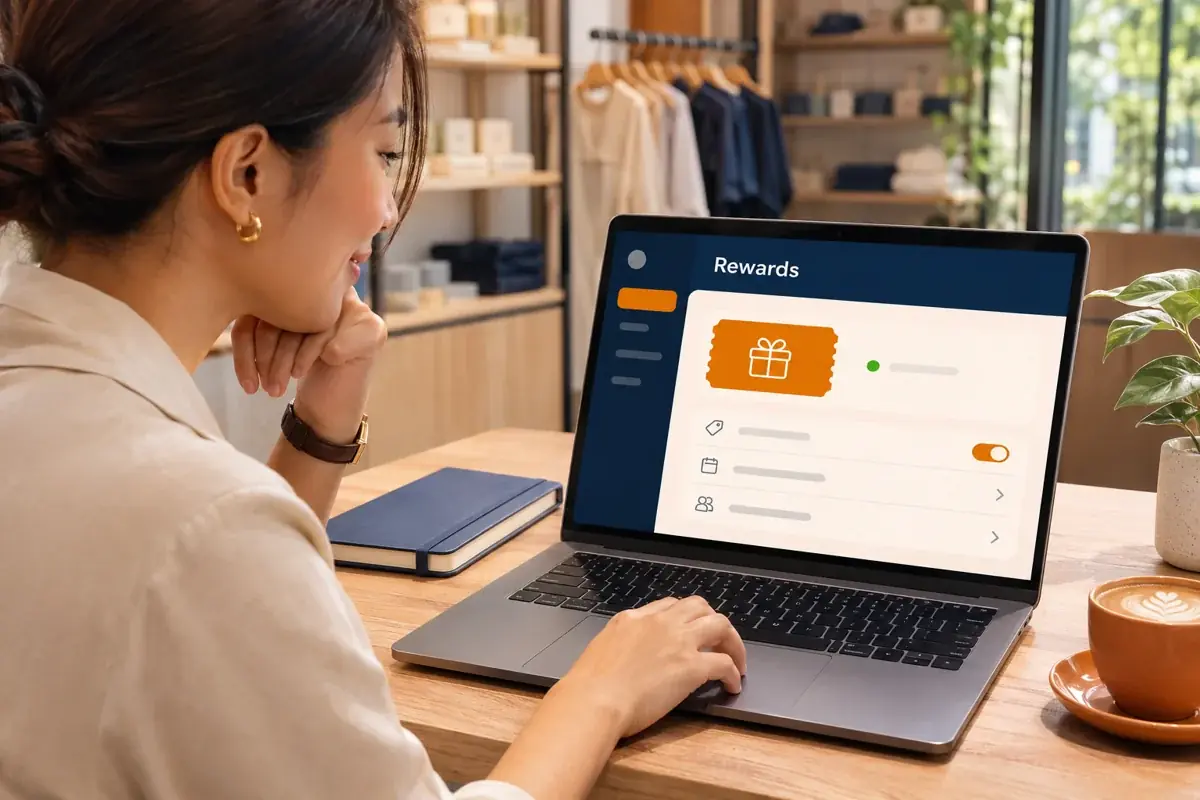
CONFIGURE
Set the terms of the offer
Separate when an offer is visible, when it can be issued and when the voucher can be used.
Fixed or rolling expiry
Delayed activation & selected weekdays
Claim limits & redeemable outlets


Feature
Voucher Management SystemPixalink is a voucher management system for Malaysian retailers, brands, hotels, malls and employers. Create e-vouchers, sell or gift them, hand batches to agents, give meal vouchers to staff, then validate each one once at the counter and track every redemption in your voucher analytics.
 One-time staff validation
Agent & gift distribution
Redemption analytics


Voucher validated · Outlet A
RM10 welcome voucher marked as used. It cannot be redeemed again.
Birthday voucher
RM20
Expires in 3 days
 Reminder sent
Quick answer
A voucher management system (VMS) is software for creating, distributing, validating and tracking digital vouchers. It keeps offer rules, customer eligibility, voucher validity and redemption records together, replacing disconnected spreadsheets and manual code checks.
Pixalink brings voucher management into your loyalty programme. Your team defines the reward, chooses how customers receive it and checks its use, while customers keep their e-vouchers in a branded web portal. No app download is needed.
You may also hear it called an e-voucher system, digital voucher platform, coupon management software, gift card management system or voucher redemption system. The names stress different jobs; the core is the same record of who holds a voucher and whether it has been used.
Pixalink Sdn Bhd, Malaysia · Updated 11 November 2026

Vouchers at a glance
Voucher types
Free, points-priced, credit-priced or both
Distribution
Member claims, bulk grants, automations, claimable codes for agents and gifting
Redemption
Six-digit staff validation code, outlet and weekday rules
Tracking
Issued, used and expired, by outlet, staff, agent batch and customer
Use cases
Retail, gift vouchers, hotel & travel agents, corporate perks, canteen meals
Voucher management, explained
Every voucher moves around the same loop. It is created with rules, put into someone’s hands, kept in a wallet, redeemed once and then counted. The system keeps one record in the middle, so each step can check the last.
Voucher
A promise of value or a free item, usable under set conditions, often once.
E-voucher (digital voucher)
The same promise kept on a phone instead of paper, tied to a customer account.
Coupon or promo code
A discount code, usually shared widely and typed at an online checkout.
Gift voucher or gift card
A voucher bought by one person and given to another to spend.
Redemption code
In Pixalink, a six-digit code that refreshes every 15 minutes, shown at the counter.
Voucher code
A fixed code printed or imported per voucher, used for claiming or validation.
Voucher capabilities
Follow one RM10 welcome voucher through its whole life. Select a stage, or let the tour play.
CONFIGURE
Separate when an offer is visible, when it can be issued and when the voucher can be used.
Fixed or rolling expiry
Delayed activation & selected weekdays
Claim limits & redeemable outlets
VALIDATE
Staff validate the redemption code and record use, with active, expiry and outlet rules checked along the way.
Example redemption code
2
8
4
6
1
9
15-minute code window
The code window is separate from voucher validity.
CUSTOMER WALLET
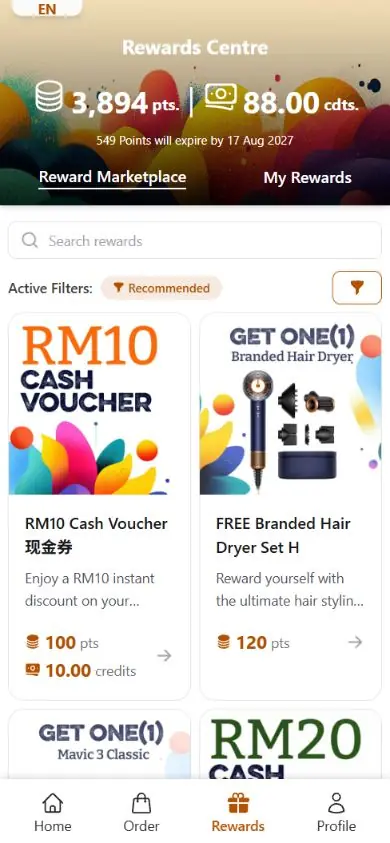
A branded portal brings available, used and expired vouchers into one member experience.
↗
DISTRIBUTE
Let eligible members claim, give free rewards to selected customers or configure welcome, birthday and win-back automations.
New member
Birthday
Selected group
↓
Pixalink reward rules
↓
Customer voucher wallet
Automated grants use free rewards; configured channels handle notifications.
CODE INVENTORY
Import external voucher codes, manage expiry and assignments, and monitor pool-backed reward inventory.
Voucher inventory
Example pool
Available
240
Assigned
60
Low-stock alert
Enabled
Code import supports your supplied inventory; provider redemption sync depends on integration.
TRACK & REVIEW
Review issued, active, used and expired vouchers. Follow usage by outlet and export the records behind the totals.
Redemption rate & time to use
Recipient, timestamps & validation details
Upcoming expiry & activity exports
↗
Illustrative activity
200
Issued
60
Used
30%
Redemption
LOYALTY REWARDS
Offer free, points-based or credit-based rewards, with the cost and conditions you configure.
500 points
↓
Free drink voucher
Example reward. Points and credit modules depend on your setup.
Explore loyalty points↗
Lifestyle images are generated illustrations. Product views and diagrams explain the Pixalink workflow; campaign figures are examples.
Retail voucher redemption, step by step
This is how redemption looks in Pixalink today: the member’s Claimed Reward screen, the staff “Validate Reward” form and the till. Walk through it, or switch the scenario to see what staff see when something is wrong.
Voucher tracking & analytics
Issuing vouchers is easy. Knowing which ones came back, where, how fast and through whom is what tells you the campaign worked. Pick a campaign to see the dashboard change.
Voucher records behind the totals
Illustrative records
Example voucher activity and validation records
Received 9 Nov
Farid · 11 Nov, 3:42 PM
Agent batch B · claimed 2 Nov
Stay not yet redeemed
Received 10 Nov
Counter 1 · 10 Nov, 12:18 PM
Received 1 Oct
Validity ended
Records and exports include the recipient, how it was issued, received and used times, outlet and validating staff where recorded.
Rewards issued, used, still available and the used/issued ratio for any period, plus 7- and 30-day use rates.
Median days to use, recorded uses by outlet and unused vouchers due to expire within 7, 30, 60 and 90 days.
Each voucher records how it was issued (automation, manual grant, purchase or API), and pool vouchers keep the exact code a customer claimed. Follow an agent batch or an HR grant to the person who used it.
These metrics describe recorded activity. They do not prove incremental sales or forecast campaign ROI.
Digital voucher system by business type
Brands, merchants and malls buy voucher software for different jobs. Choose yours to see what you would look for and how Pixalink handles it.

Sampling and shelf QR campaigns
What you look for
Know who claimed, not just how many codes went out
Stop code sharing and repeat claims
See which counter or store redeemed
How Pixalink handles it
A shelf QR or claim link opens your branded portal, so every claim belongs to a member
One-time claim limits and campaign availability
Redeemable outlets and staff validation at participating counters
Import retailer-supplied code stock; receipt upload to verify a purchase
 Scan shelf QR
 Sign up & claim
 Redeem at counter
Malaysian malls already run minimum-spend e-voucher campaigns with per-shopper limits (see the sources). Bring your campaign mechanics to a demo to confirm the tenant and receipt set-up.
Coupon management software checklist
Coupon fraud guides keep pointing to the same safeguards. Here is how each maps to Pixalink.

Every voucher sits in a member’s wallet, not a shareable code on a poster.

Staff validation marks a voucher as used; a second attempt is refused.

One-time claim limits, availability and visibility by tag, tier or paid membership.

Fixed or rolling expiry, delayed activation and per-reward expiry reminders.

Recipient, received and used times, outlet and validating staff, with exports.

Voucher workflows for supported POS and e-commerce set-ups, plus code imports.
Merchant-controlled voucher management
Seeing an offer, qualifying to claim it and being able to use it are different things. Pixalink gives your team controls for each.
Four dates that matter
Visibility
When the offer appears
Distribution
When it may be issued
Activation
When a received voucher is usable
Expiry
When that voucher ends
01
Control catalogue visibility by customer tags, loyalty tiers, paid membership and dates. Hidden offers can support configured direct-link access. Visibility does not override the conditions required to claim.
02
Use free, points-based or credit-based rewards. Set one-time claim limits and campaign availability, or unlock claims after configured points or credit transaction thresholds. Checkout minimum purchase rules depend on the integration.
03
Use a fixed expiry or a validity period from issuance. When both apply, the earlier date wins. Add delayed activation, allowed weekdays and redeemable outlets to suit your operation.
04
Import supplied voucher codes with expiry and customer mapping. Monitor remaining pool inventory and configure low-stock alerts. Duplicate a reward’s settings for the next campaign without rebuilding the offer.
05
Recently issued, unused vouchers can be revoked within the current 48-hour grace period. Archiving an offer hides its catalogue entry; it does not automatically cancel vouchers customers already hold.
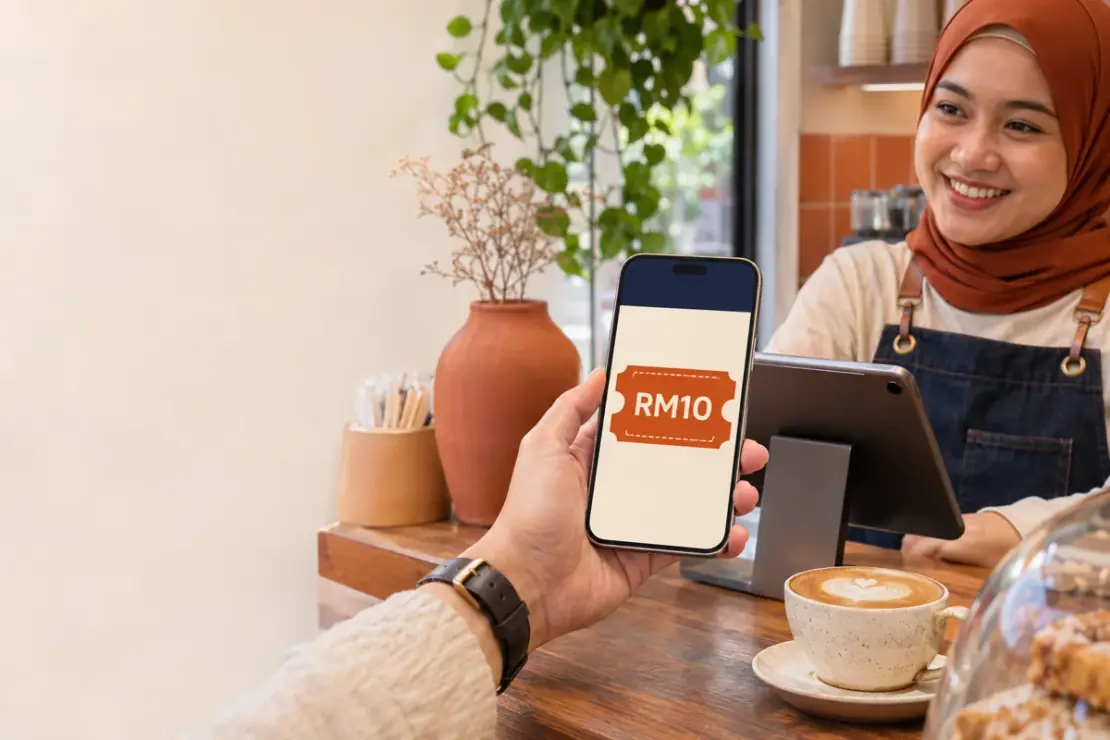
A simpler counter experience starts with clearer voucher rules.
Campaign operations
Marketing can launch with clear boundaries
Defined audiences, schedules and availability help keep each campaign’s distribution aligned with the plan.
Staff can follow a consistent validation process
Status, validity and outlet checks reduce dependence on screenshots, memory and ad hoc counter decisions.
Customers can find their own rewards
A branded voucher wallet shows what they have, what they have used and what has expired, without asking staff to search a list.
Managers can investigate the actual record
Use recipient, issue and use details to resolve questions and prepare an activity export for the team.
Digital voucher distribution, your way
Not every voucher should follow the same route. Choose how the customer receives it, then set the appropriate conditions.
Configure free reward grants for joining and birthday moments, with supported timing, eligibility and repeat-prevention rules.
Let members browse the catalogue and claim eligible free, points or credit rewards through their portal.
Grant free rewards in bulk to chosen customers. Use tags and tiers to organise relevant offers and connected campaign audiences.
Import supplied codes or connect supported POS/e-commerce workflows. Provider-side redemption updates require the relevant integration or reconciliation process.
Explore includes voucher workflows for supported setups such as Shopify, WooCommerce, Eats365, AutoCount AgileX and iVend, plus authenticated voucher APIs. Available actions differ by integration and enabled modules.
↗
Practical answers for brands, business owners, mall teams and counter staff evaluating Pixalink.
Bring your campaign to a demo ↗A voucher management system centralises voucher creation, distribution, validation, expiry and tracking. Pixalink connects these jobs with customer eligibility, a branded voucher wallet, staff validation and operational reports, so the team can follow a voucher from issuance to use.
They overlap. Coupon management software often focuses on generating discount codes for online checkout. A voucher management system also covers who receives each voucher, the customer wallet, in-store validation and redemption records. Pixalink does both inside your loyalty programme.
Customers keep e-vouchers in your branded web portal, opened from a link or QR code, with no app to install. At the counter they show a temporary six-digit code, staff validate it and the voucher is marked as used. Reminders can go out on WhatsApp or email before a voucher expires.
Yes. Pixalink supports reward visibility by customer tags, loyalty tiers, paid membership and dates, so you can run members-only and tier-only rewards. Claiming also depends on the configured cost, availability, distribution window and qualifying conditions. A member may be able to see an offer before they have enough points to claim it.
Members can claim eligible rewards in the portal, paying with points, credits or either through “Choose Your Currency”. Your team can give free rewards to selected customers in bulk and configure automations for sign-up, birthdays, inactivity, purchases and top-ups. Imported code inventory, claim links, promo codes and supported integrations provide other routes.
Yes. A QR code or claim link can open your branded portal, where shoppers sign up and claim a voucher with a one-time limit. Restrict redemption to selected outlets, let staff validate at the counter and use receipt upload when a purchase must be verified. Confirm your retailer set-up in a demo.
Yes. Shoppers can upload receipts for review, with AI reading the details and duplicate receipt IDs blocked. Approved spend can unlock vouchers with claim limits and availability caps, redeemed at the outlets you set. Discuss your tenant set-up and campaign tiers with the team.
Set a fixed expiry date, a validity period from issuance or both; when both apply, the earlier date is used. Delayed activation controls when the voucher becomes usable. Selected weekdays and redeemable outlets add further redemption conditions.
No. The temporary six-digit redemption code lasts 15 minutes. The voucher itself follows its configured activation and expiry rules, which may span days or weeks. Imported static codes and provider vouchers use their own code and integration flows.
Staff validation checks the reward status and validity before use is recorded, and a used voucher cannot be validated again. One-time claim limits, availability checks, transactional locking and temporary redemption codes support controlled claim and redemption workflows. Imported and provider-specific vouchers follow their configured integration paths.
Yes. Import supplied voucher codes and manage code expiry, inventory and assignment. This does not imply a direct commercial partnership with every voucher brand. Tracking a redemption that happens with an external provider requires the relevant integration or reconciliation process.
Yes. The voucher owner creates a batch of voucher codes for each agent, for example hotel room-night vouchers, and sells the batch in bulk. Each agent sells single codes to travellers. When a traveller scans or enters the code it is claimed into their own account, so the owner can see which agent sold which voucher to which customer and whether it was redeemed at check-in.
Yes. Brands use Pixalink as a voucher selling platform: customers buy a voucher for themselves, gift it to a friend through a claim link, or companies and agencies buy vouchers in bulk. Each voucher still ends up in one person’s wallet and can only be redeemed once. Confirm your payment set-up in a demo.
HR tags employees by department, grade or site, then grants a voucher to everyone with that tag in one bulk action. Employees keep the voucher in their wallet and redeem it at participating outlets. Reports show issued and used vouchers by group, with exports for finance.
The meal voucher has a fixed face value, for example RM10, and is usable only at the canteen outlet on working days. The company’s voucher covers up to RM10 and the employee pays any balance at the counter. Because each voucher is validated once, the company can see exactly how many meals it subsidised.
Rewards issued, rewards used, vouchers still available and the used/issued ratio for any period, plus use within 7 and 30 days, median days to use, recorded uses by outlet and unused vouchers approaching expiry. Voucher records show the recipient, how the voucher was issued, when it was used, at which outlet and by which staff member.
Reports cover issuance, active/used/expired totals, redemption rates, 7/30-day use, median time to use, outlet performance and upcoming expiry. Detailed records and exports can include recipients, received and used timestamps, outlets and validating staff where those values were recorded.
Pixalink has voucher workflows for supported configurations including Shopify, WooCommerce, Eats365, AutoCount AgileX and iVend. Validation, synchronisation and checkout rules vary. Bring your exact system and desired campaign to a demo so the team can confirm the supported workflow.
For Pixalink, confirm a quote against your customer volume, outlets, modules and integration requirements. Review the pricing page and discuss your campaign workflow in a demo; this page does not assume every feature or integration is included in every plan.
View Pixalink pricing ↗
Sources (2)
External sources describe market practice. Pixalink capabilities on this page come from the Pixalink Explore product.
Bring an offer and your outlet setup. We’ll walk through how to issue, validate and track it.